Clinicians using Full EMR have the ability to sign the Plan of Care (POC) electronically through the Clinician Assistant. The system automatically sends signature requests to Case Administrators, but back office users can also manually request signatures from other clinicians if needed.
✅ Steps to Sign the Plan of Care Electronically
- Log in to the Clinician Assistant using a Field Staff account.
- Go to: Document Board > Unsigned Plans of Care
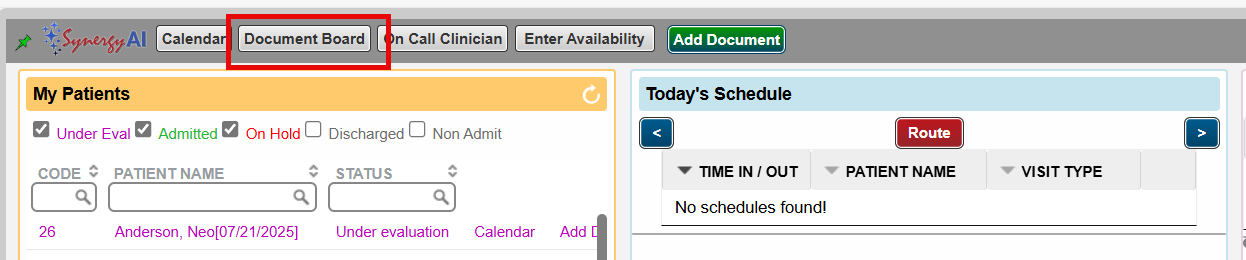

- From the list:
- Click on a POC to review it individually before signing.
- Or, select multiple POCs to sign in bulk.
- Click Sign to complete the electronic signature.

? Additional Notes:
- Only users with signature requests can sign POCs.
- If a clinician is not receiving signature requests, a back office user can manually initiate one via the POC in the patient's chart
This FAQ was generated based on Synergy AI/EMR App Version 7.0.38.36159 and Dashboards Version: 7.0.38.14741
Important: The information in this FAQ is based on the software version available at the time of publication and is subject to change. Please use the software responsibly. HealthCare Synergy is not liable for any issues resulting from outdated or incorrect use of this information.
Was this article helpful?
That’s Great!
Thank you for your feedback
Sorry! We couldn't be helpful
Thank you for your feedback
Feedback sent
We appreciate your effort and will try to fix the article