Situtation
Is there a way to find out the average payment received from Medicare?
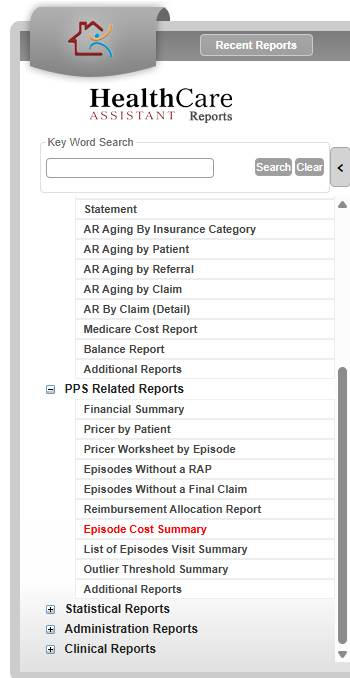
Episode Cost Summary from the PPS Related Reports
To run the report:
- Click Reports > Open Reprots
- Go to PPS Related Reports
- Locate Episode Cost Summary
- Enter filters as need
- Click Print to generate the report
This FAQ was generated based on Synergy AI/EMR App Version 7.0.38.36159 and Dashboards Version: 7.0.38.14741
Important: The information in this FAQ is based on the software version available at the time of publication and is subject to change. Please use the software responsibly. HealthCare Synergy is not liable for any issues resulting from outdated or incorrect use of this information.
Was this article helpful?
That’s Great!
Thank you for your feedback
Sorry! We couldn't be helpful
Thank you for your feedback
Feedback sent
We appreciate your effort and will try to fix the article