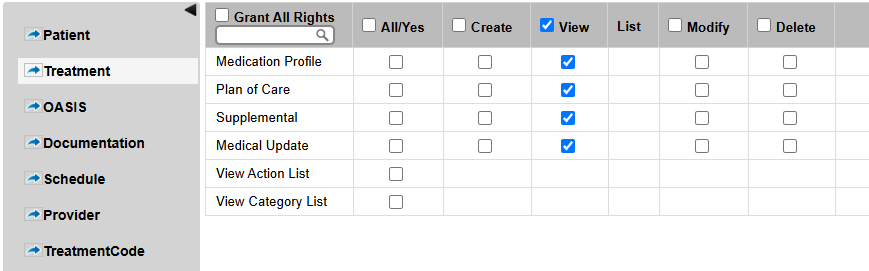
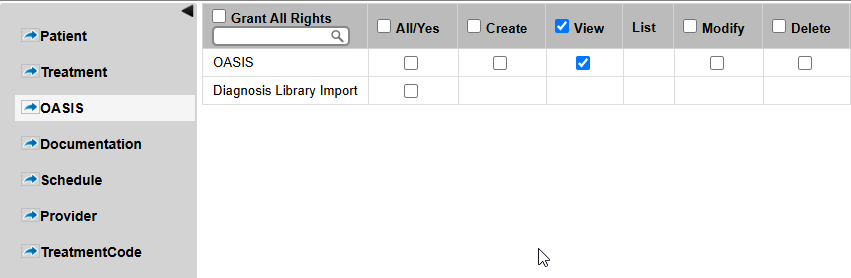
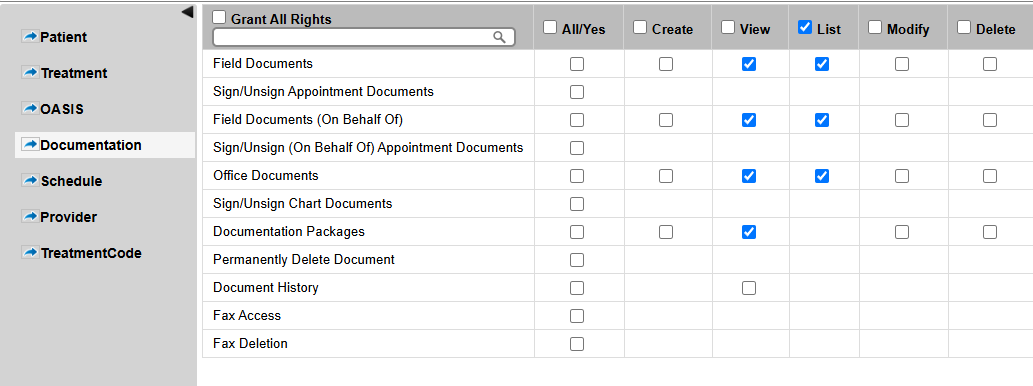
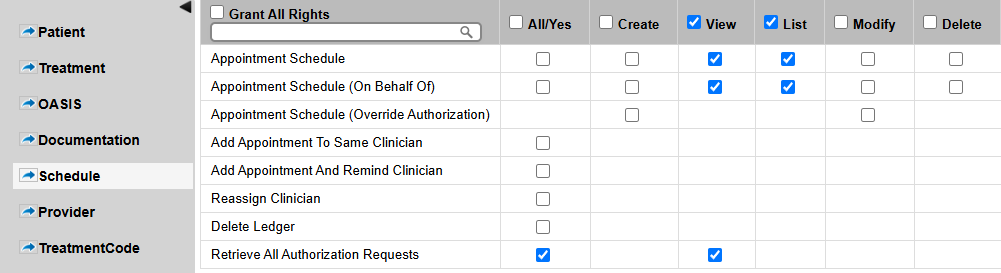
A Surveyor login allows auditors, surveyors, or regulatory personnel to securely access the system with limited permissions, typically for the purpose of reviewing patient records or compliance-related data.
Steps:
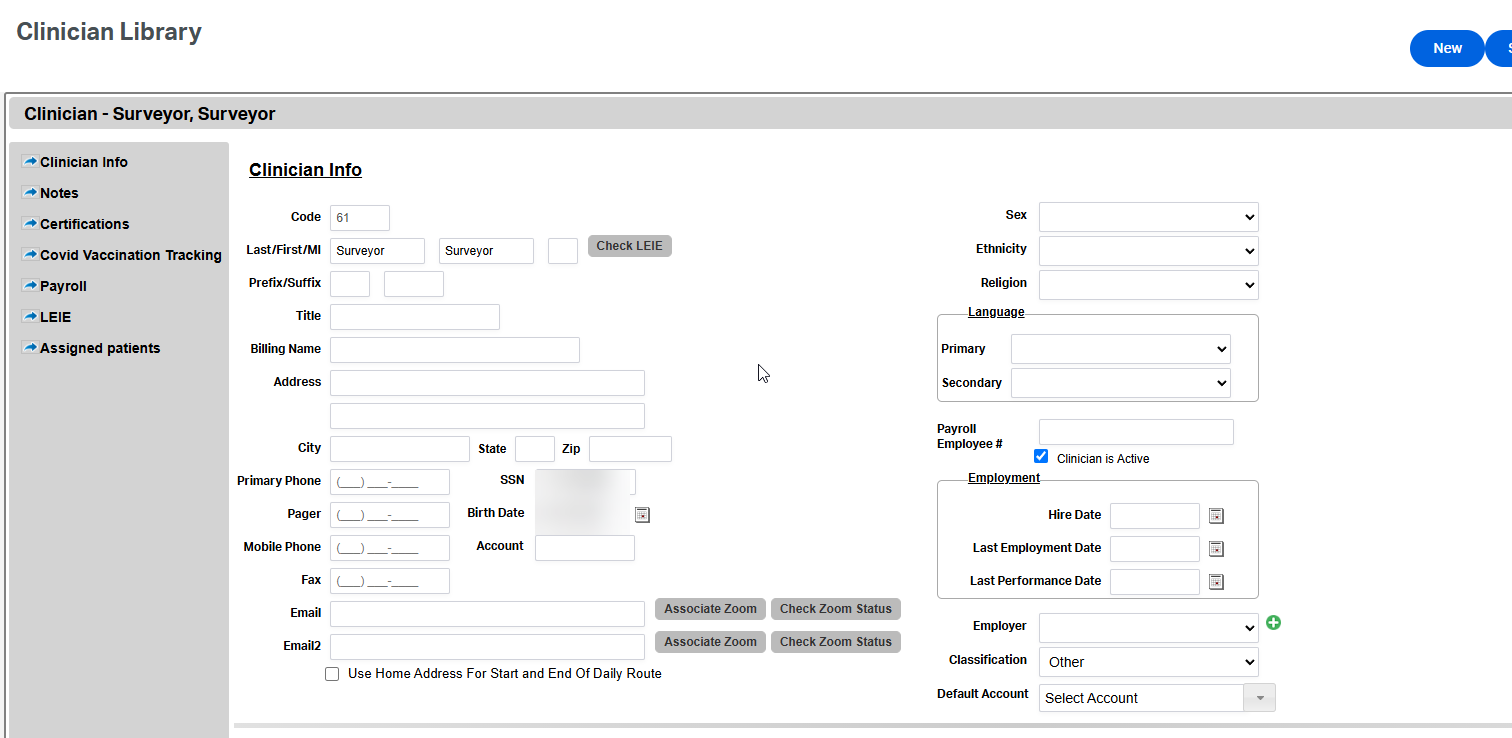
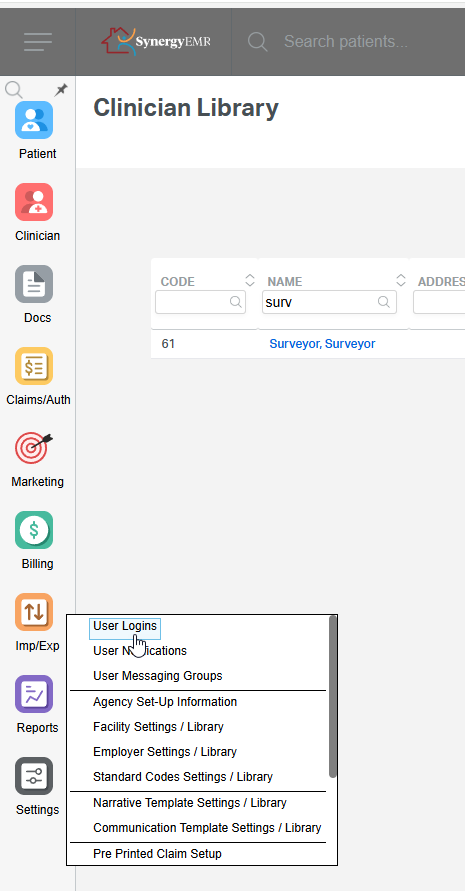
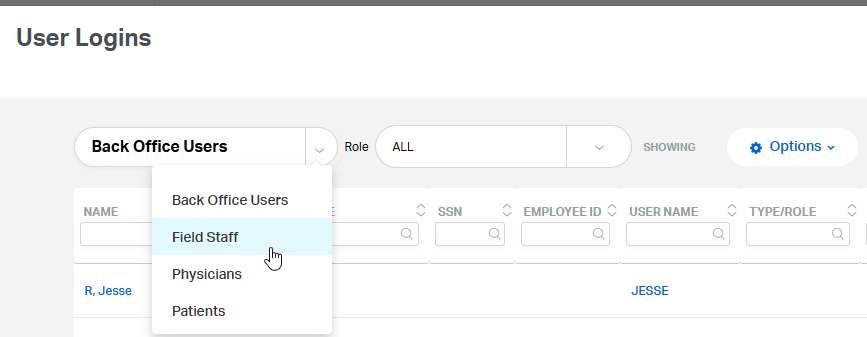
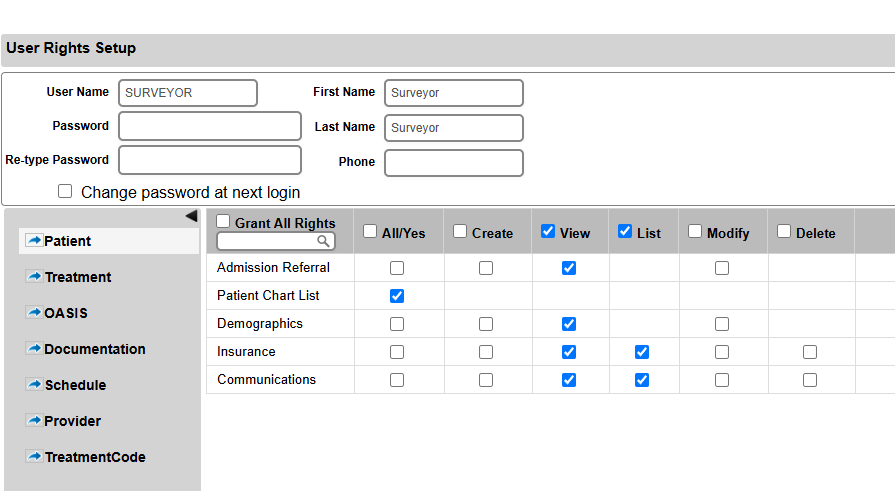
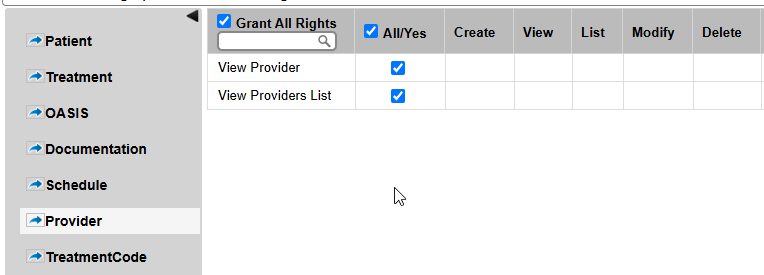
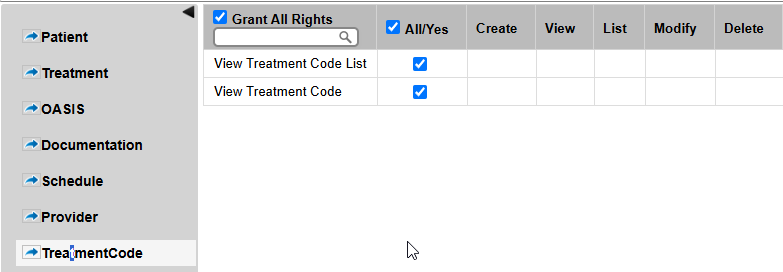
To create a Surveyor account, follow the same process used to create a Field Staff (CGA) account. Username must be 'SURVEYOR'. Click here to for the Field Staff (CGA) Login FAQ.
Note: Using Surveyor as username ensures that the field staff account created will have appropriate rights for surveyors.
Important: The information in this FAQ is based on the software version available at the time of publication and is subject to change. Please use the software responsibly. HealthCare Synergy is not liable for any issues resulting from outdated or incorrect use of this information.
Was this article helpful?
That’s Great!
Thank you for your feedback
Sorry! We couldn't be helpful
Thank you for your feedback
Feedback sent
We appreciate your effort and will try to fix the article